
Experience Lightweight Performance with Tiny11
Tiny11 is a streamlined Windows 11-based system designed for users who want speed, simplicity, and efficiency without unnecessary bloat. Instead of running heavy background apps and cluttered features, tiny11 delivers a clean and optimized environment that works smoothly even on low-end or older hardware.
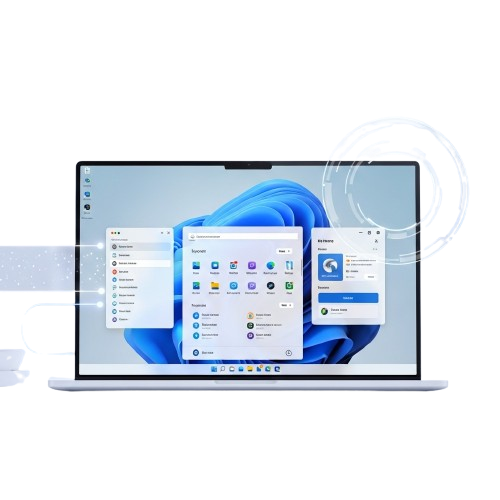
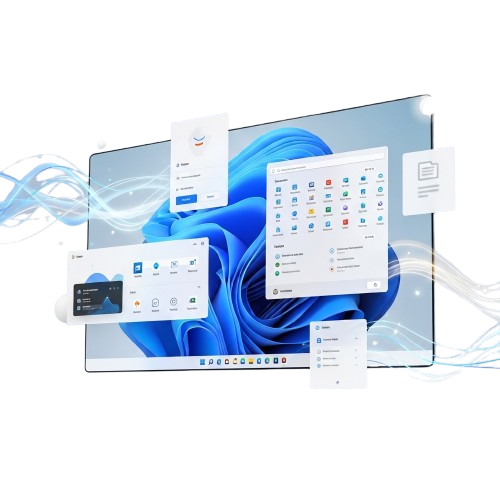
About Tiny11
Tiny11 is a lightweight and optimized Windows 11-based system created for users who want a faster, cleaner, and more efficient computing experience. It removes unnecessary apps, background services, and bloatware found in the standard Windows installation, allowing devices to run smoothly even with limited hardware resources.
With Tiny11, users no longer need high-end specifications to enjoy a modern Windows interface. The system is designed to use less storage and RAM while maintaining essential Windows features for everyday tasks. It is especially useful for older laptops, low-spec PCs, and virtual machine environments where performance and stability matter most.
Built with simplicity and performance in mind, Tiny11 provides a streamlined setup process and a minimal interface without unnecessary distractions. Whether you need a lightweight OS for testing, development, or reviving older hardware, Tiny11 offers a practical and efficient Windows solution.
Powerful Features
Tiny11 is built to deliver a faster and cleaner Windows experience without unnecessary system load. It focuses on performance, minimal resource usage, and smooth functionality while keeping essential Windows features intact for daily tasks and development use.
Lightweight Performance
Tiny11 removes unnecessary background services and extra components to ensure smoother speed and faster system response on low-end and older hardware devices.
Bloat-Free System
Tiny11 eliminates pre-installed apps and unwanted software, providing a clean Windows environment without clutter or unnecessary system distractions.
Reduced Storage Usage
Tiny11 requires significantly less disk space than standard Windows 11, making it ideal for devices with limited storage capacity available and smaller SSD drives.
Faster Boot Time
Tiny11 is optimized for quick startup and reduced load times, helping users get into their workspace faster without delays and improving overall productivity.
Optimized for Old PCs
Tiny11 runs smoothly on older laptops and low-spec systems, extending hardware life without compromising basic functionality and overall system stability.
Ideal for Testing & VM
Tiny11 works efficiently in virtual machines and development environments, offering a lightweight setup for testing and rapid deployment.
Relaxed System Requirements
Tiny11 can bypass strict TPM and Secure Boot requirements in certain builds, allowing installation on unsupported hardware easily.
Minimal Interface Design
Tiny11 provides a simplified and distraction-free interface, focusing on usability and essential tools for productive computing.
Why Choose Tiny11?
Tiny11 is chosen by users because it combines speed, efficiency, and low resource usage. Optimized for modern and older PCs, it delivers a seamless Windows experience.
Lightweight OS
Tiny11 is extremely lightweight compared to standard Windows 11, freeing up disk space and ensuring faster operations on low-spec systems.
Fast Startup
Boot into Tiny11 quickly with minimal load times, enabling users to access their desktop, apps, and files almost instantly every single time.
Low Resource Usage
Tiny11 efficiently uses CPU and RAM, making it ideal for older laptops or minimal hardware, ensuring smooth multitasking without any noticeable lag.
Bypass Restrictions
Certain Tiny11 builds allow bypassing TPM and Secure Boot requirements, enabling installation on unsupported or legacy hardware easily.
Enhanced Stability
Tiny11 maintains system reliability with fewer background processes and optimized Windows services, providing a stable computing experience.
Full Windows Experience
Despite being lightweight, Tiny11 retains essential Windows 11 features like File Explorer, Taskbar, and basic apps for familiar usability.
How it Works?
Tiny11 is a lightweight Windows 11 version optimized for speed, efficiency, and compatibility. It reduces bloat while keeping essential features for modern computing.
Fast Bootup
Tiny11 launches Windows quickly with minimal load times, allowing users to access desktop, apps, and files instantly every single time.
Lightweight OS
Tiny11 uses minimal system resources, freeing RAM and CPU for smooth multitasking even on older or low-spec hardware effortlessly.
Bypass Restrictions
Tiny11 can bypass TPM and Secure Boot requirements in specific builds, enabling installation on unsupported PCs and virtual machines safely.
Optimized Performance
Tiny11 optimizes memory and CPU usage, maintaining stable, fast performance during prolonged work sessions without unnecessary slowdowns.
Legacy Support
Tiny11 runs smoothly and wisely on older laptops and desktops, extending hardware life while maintaining core Windows 11 functionality and essential apps.
Customizable Build
Tiny11 allows selective component removal and customization, enabling users to tailor the OS to their preferences without losing essential features.
Download Tiny11
Tiny11 is available as a compact Windows 11 version, providing fast, lightweight, and optimized performance for both older and modern PCs.
For Windows PCs
Windows 10 or higher (64-bit OS supported)
Minimum 4 GB RAM recommended
20 GB free disk space required for windows
Internet connection for updates and activation
Optional Windows Insider or ISO access
Virtual Machines
Compatible with VMware, VirtualBox, or Hyper-V
Minimum 2 CPU cores recommended
Minimum 2 CPU cores recommended
At least 4 GB RAM for smooth performance
ISO file available for install
How to Install Tiny11
- Visit the official Tiny11 website to safely download the Tiny11 ISO file for your system.
- Check the SHA256 hash or digital signature of the downloaded ISO to ensure it is authentic.
- Check the SHA256 hash or digital signature of the downloaded ISO to ensure it is authentic.
- Restart your computer and boot from the Tiny11 USB drive to begin installation.
- Go through Tiny11 installation prompts, select partitions, and configure language and preferences.
- Finish installation, create a user account, and log in to start using Tiny11 immediately.
Guide for Tiny11
unetbootinn vs Tiny11: Bootable Media Creation and Lightweight Windows Deployment Compared
Read More »Tiny11 User Reviews




Frequently Asked Questions
Curious about Tiny11? Find detailed answers to the most common questions about installation, system requirements, performance, updates, and usage tips.
Tiny11 is a lightweight, optimized version of Windows 11, designed to run smoothly on older or low-spec hardware while retaining essential functionality.
Yes, Tiny11 is free for personal use. You can download and install it without any licensing fees while enjoying a clean, optimized Windows 11 setup.
Tiny11 runs on most 64-bit PCs that meet Windows 11 minimum requirements, including older laptops, desktops, and virtual machines for testing purposes.
Tiny11 is usually installed as a clean setup. Upgrading from Windows 10 may not be supported directly; backing up your data before installation is recommended.
Yes, Tiny11 is safe if downloaded from the official or trusted sources. It removes bloatware but retains Windows security features and system updates.
Yes, Tiny11 supports standard Windows customization options including themes, taskbar, start menu tweaks, and optional lightweight tools for personalization.
Download the ISO file and create a bootable USB or VM image. Follow on-screen prompts to install, then configure Windows settings after the first boot.
Yes, Tiny11 works on VirtualBox, VMware, or Hyper-V with minimal requirements. Ensure you allocate at least 2 CPU cores and 4GB RAM for smooth operation.
Certain Tiny11 builds can bypass strict TPM and Secure Boot checks, enabling installation on unsupported or older hardware without affecting performance.
Tiny11 requires Windows 10/11 compatible 64-bit CPU, at least 2GB RAM, 20GB disk space, and internet connection for activation and updates.
Yes, you can set up Tiny11 alongside Windows or Linux using a separate partition. Make sure to backup data before configuring dual-boot options.
Installation typically completes in 15–30 minutes depending on your system speed and storage type, including setup of default drivers and configurations.
Yes, Tiny11 removes unnecessary bloat, reduces background processes, and optimizes startup, resulting in faster boot and smoother system performance.
Absolutely, Tiny11 is optimized for low-spec systems, extending hardware life while maintaining a modern Windows 11 experience without slowing down the system.
Yes, Tiny11 supports official Windows Updates for security and feature improvements. Some optional components may require manual updates depending on the build.
Yes, Tiny11 supports most Windows applications including productivity tools, browsers, and lightweight games. Some heavy enterprise tools may require adjustments.
Tiny11 uses significantly less disk space than standard Windows 11, typically requiring 20–30 GB for installation, leaving more space for your applications and files.
Future upgrades are possible through clean ISO installations or incremental patches depending on the build, ensuring compatibility and system stability over time.
Check for background apps, unnecessary startup programs, and driver updates. Tiny11 is lightweight but old hardware may need optimizations for peak performance.
Boot issues may arise due to BIOS settings, incorrect partition setup, or missing drivers. Verify boot order and consider reinstalling Tiny11 cleanly.
Ensure your app is compatible with Windows 11 64-bit. Some legacy software may need compatibility mode or additional frameworks installed manually.
Check network drivers, Wi-Fi adapters, or Ethernet settings. Installing official drivers or running Windows Network Troubleshooter usually resolves connectivity issues.
Use Windows Update, Device Manager, or download drivers from official component manufacturers. Tiny11 retains most native Windows 11 driver support.
Official forums, community pages, or trusted tech blogs provide guides, FAQs, and troubleshooting for Tiny11 installations, updates, and optimizations.
Tiny11 – Windows Without the Bloat
Tiny11 offers a lightweight, bloat-free Windows experience with improved speed, performance, and efficiency—perfect for low-end PCs and optimized computing.
Price: Free
Price Currency: $
Operating System: Windows
Application Category: Software
4.7